List your console command
Make the command word of your mod visible in hash, the vanilla command list and autocomplete. One call does it.
You need: a MelonLoader mod project. Hash is optional for your players.
The call lists the word only. Your own handler, for example a Harmony prefix on SubmitCommand, still runs the command. The listing never dispatches, so a line cannot run twice.
-
Copy
HashCommands.csfrom the Hash repository into your project and compile it.<Compile Include="path\to\HashCommands.cs" /> -
Declare Hash as an optional dependency.
[assembly: MelonOptionalDependencies("Hash")] -
Add
using Hash.Api;at the top of your file. Do not writeHash.Api.HashCommandsin full inside aMelonMod:MelonBasehas a property namedHash, and the code does not compile. -
Call
HashCommands.Addonce inOnInitializeMelon.public override void OnInitializeMelon(){HashCommands.Add("snitch", "profiler: start, stop, top, report", "snitch start");}wordis the first token only, without arguments. Case does not matter.descriptionis one line, lowercase, no trailing period.exampleis a line that works, for examplesnitch top 10. Hash shows it as the argument shape while the player types. This parameter is optional.
-
Optional: check
HashCommands.Availableif you want to tell the player that Hash is missing. TheAddcall is safe without this check.
Calls are no-ops while Hash is absent. Calls made before Hash loads are replayed when it loads, so load order does not matter.
Check it works
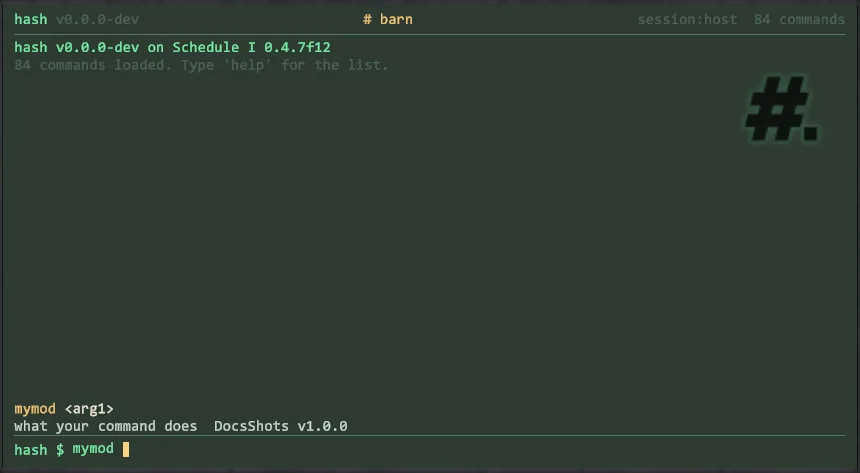
Section titled “Check it works”Open the console with Hash installed and type the first letters of your word. Hash suggests the word and shows the example as the argument shape. The word is also in the game’s own command list.
Without Hash, nothing changes for the player. No error appears.